I’m currently working with a Reachy 2 and could use some help troubleshooting a startup issue.
We recently had to replace the main IPC (Bedrock V3000) due to a hardware failure. We went through the whole software setup process (udev rules, EtherCAT checks, etc.) and tested the robot with the infinite_grooving.py script while the new Bedrock was still unmounted. Everything worked perfectly and the robot moved without issues.
The problem started right after we physically installed the Bedrock inside the torso and put the shell back together. Now, the reachy2-core fails to start.
Our main suspect is that a cable might have been accidentally disconnected, pinched, or loosened during the reassembly process. Since taking the whole torso apart again is quite tedious, we pulled the startup logs to see if we can pinpoint exactly which component is missing.
Has anyone experienced a similar issue or can spot in the logs which specific connection (EtherCAT node, camera, USB device…) is causing the core to crash? Any pointers on which specific cable to check would save us a lot of time!
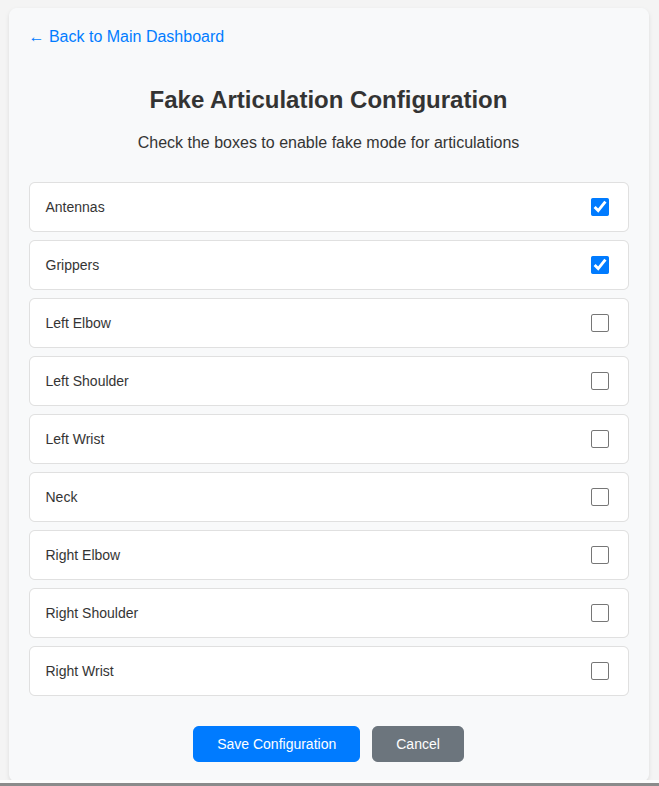
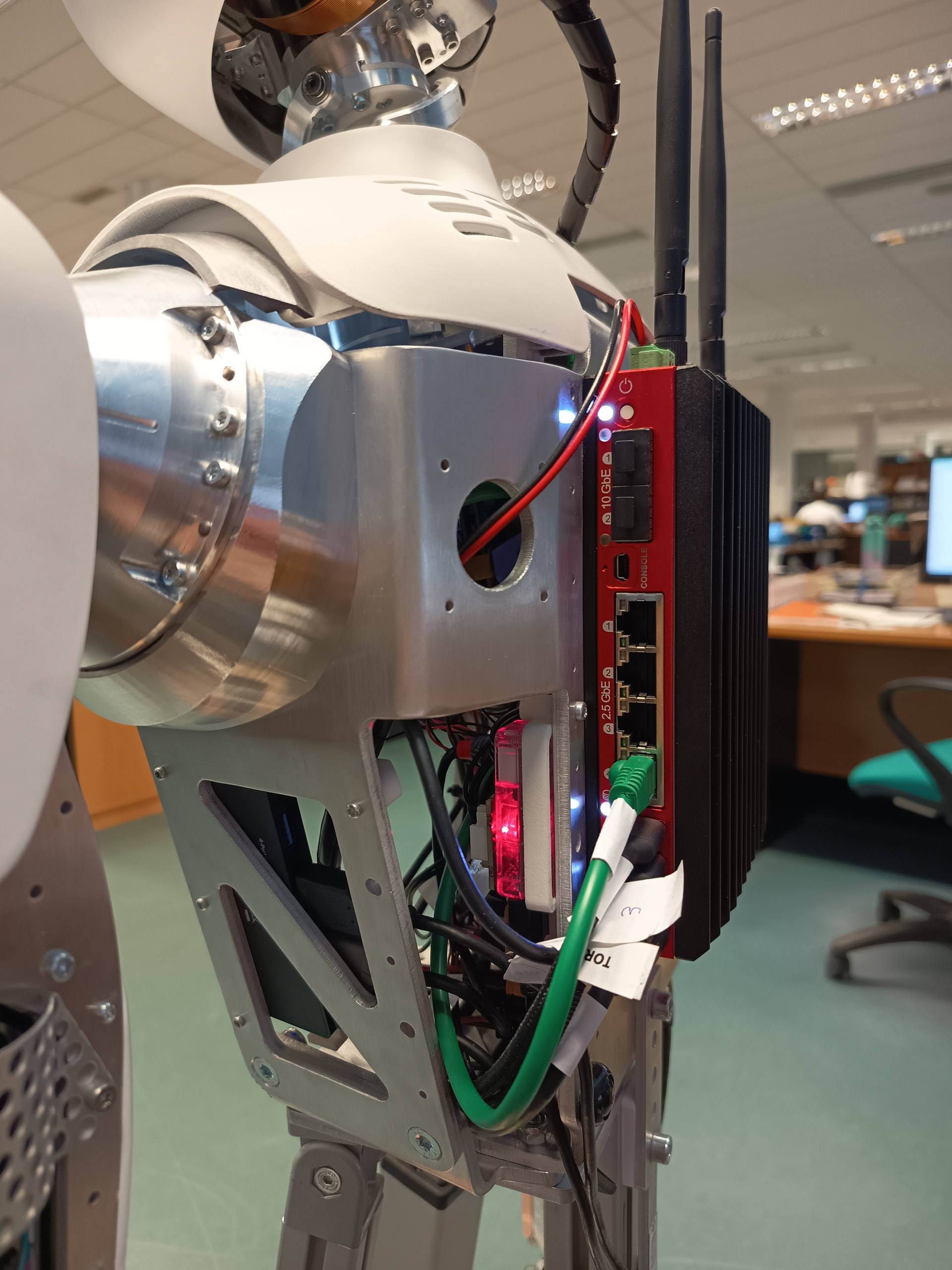
If the core starts while the grippers and antennas are in fake mode, then you should check the connections to these elements in the torso (blue lights when it is correctly initialized, remains red if not):
Thank you for the tip! We just tested the “Fake Articulation” mode as you suggested, and you were right.
When we set both the antennas and the grippers to fake mode, the core starts perfectly. We also tried alternating them (one in fake mode, the other in normal mode) to see if only one was causing the issue, but the core failed to start in both scenarios. This confirms that both the grippers and the antennas are failing to connect.
Additionally, while the core is running in fake mode, we checked the LEDs and they remain solid red.
Since both are failing at the same time and showing red LEDs, is there a common cable, hub, or power connection shared by both the grippers and the antennas that we might have accidentally loosened during the Bedrock installation?
Could you please point us to the specific cables or connectors we should check inside the torso? We are ready to open it up again and waiting for your instructions.
Just a gentle bump on this thread to see if you have any updates.
We are still stuck with the grippers and antennas showing solid red LEDs, and we are ready to open the torso again to check the wiring.
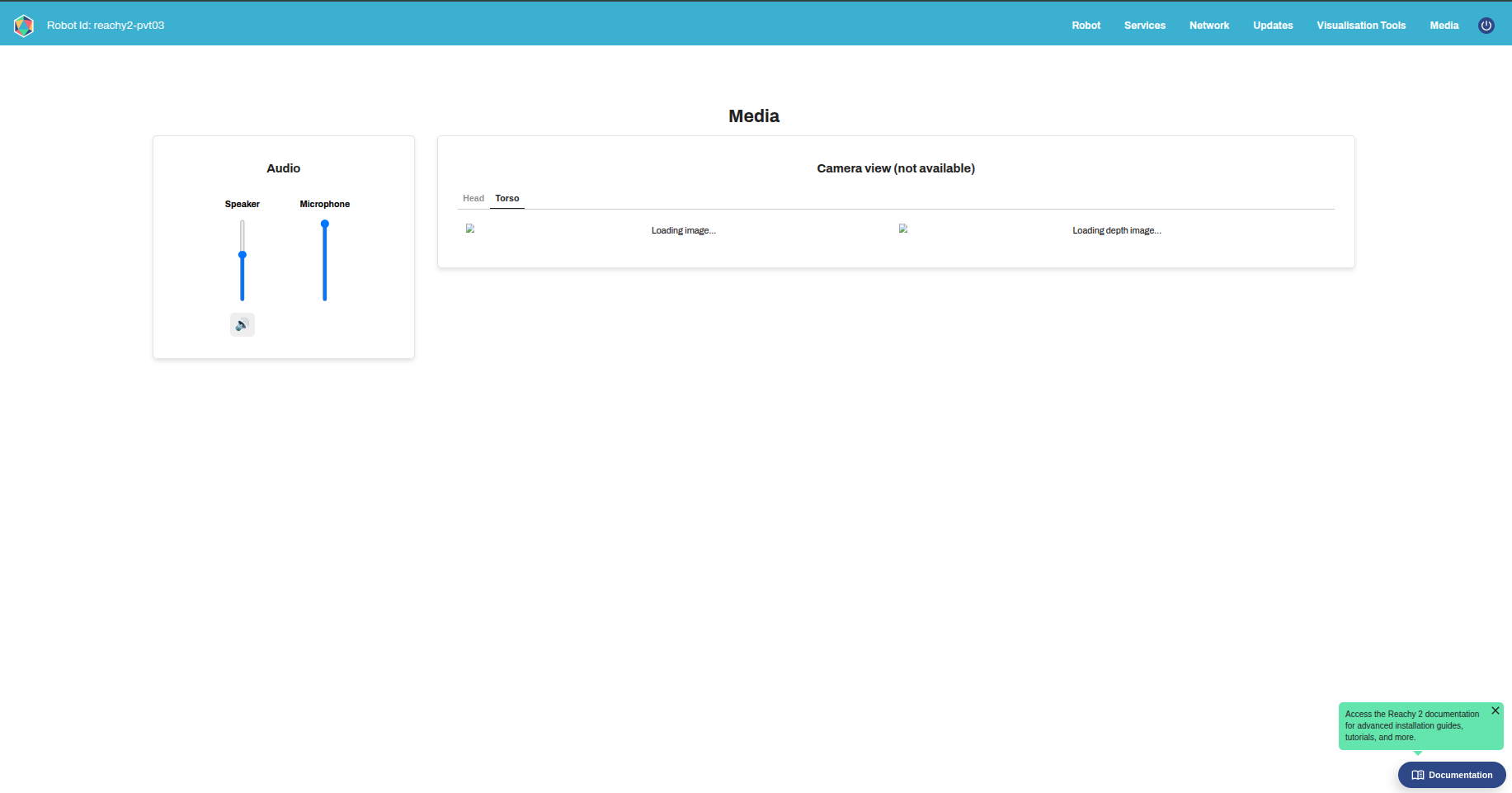
However, I noticed something else on the dashboard that might help pinpoint the exact issue: the standard cameras are working perfectly and showing the video feed, but the depth camera is not outputting anything at all.
Could this be related? Since the depth camera, grippers, and antennas are all failing simultaneously, is there a specific USB hub, shared cable, or power line connecting these components that we might have accidentally loosened during the Bedrock replacement?
A picture or a quick description of the layout would be incredibly helpful so we know exactly where to look inside the shell.
Thanks for those details. For the dashboard, this is not related, it’s a known issue of the dashboard, you should be able to see the stream from the torso camera with the SDK Client.
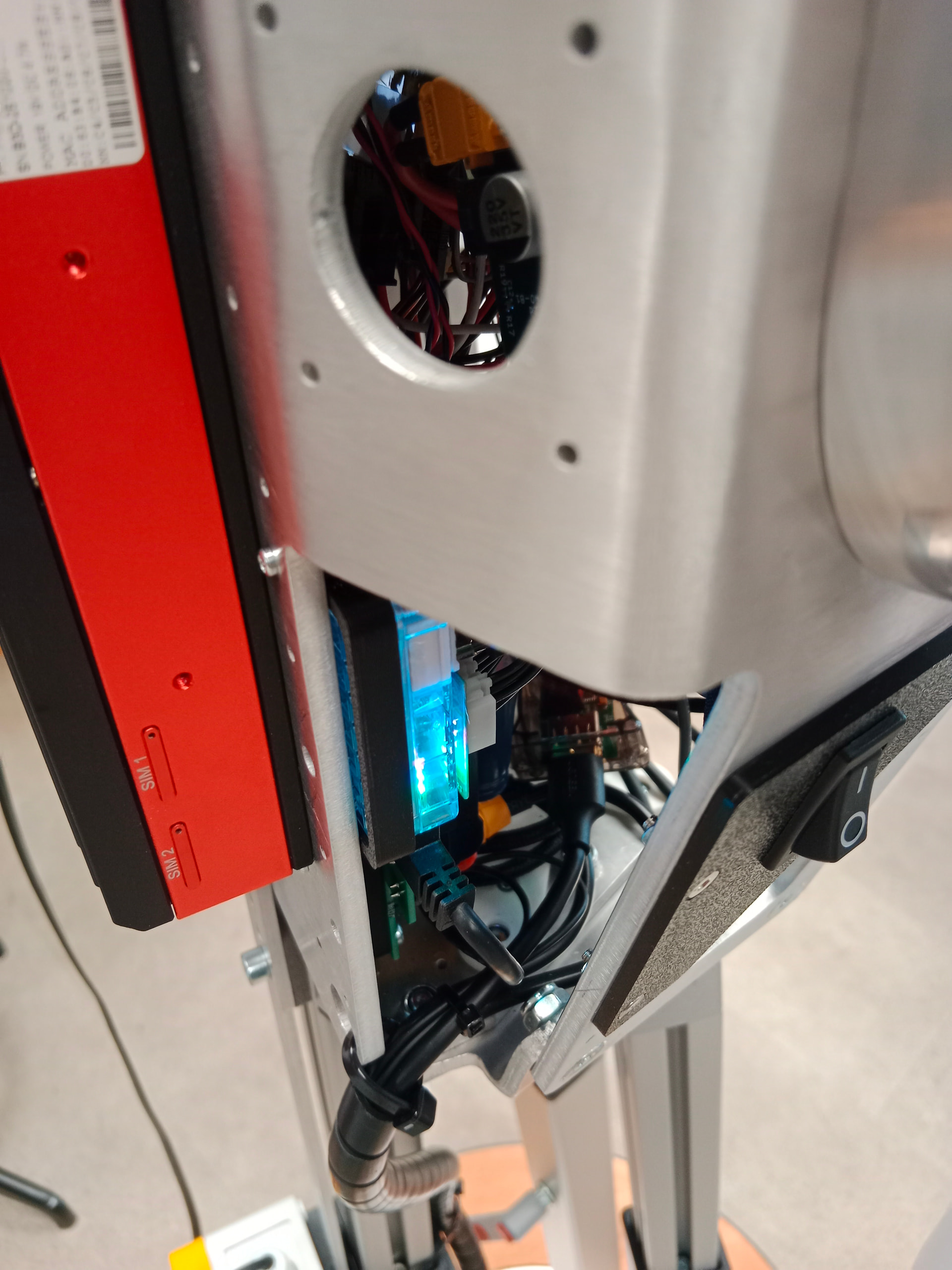
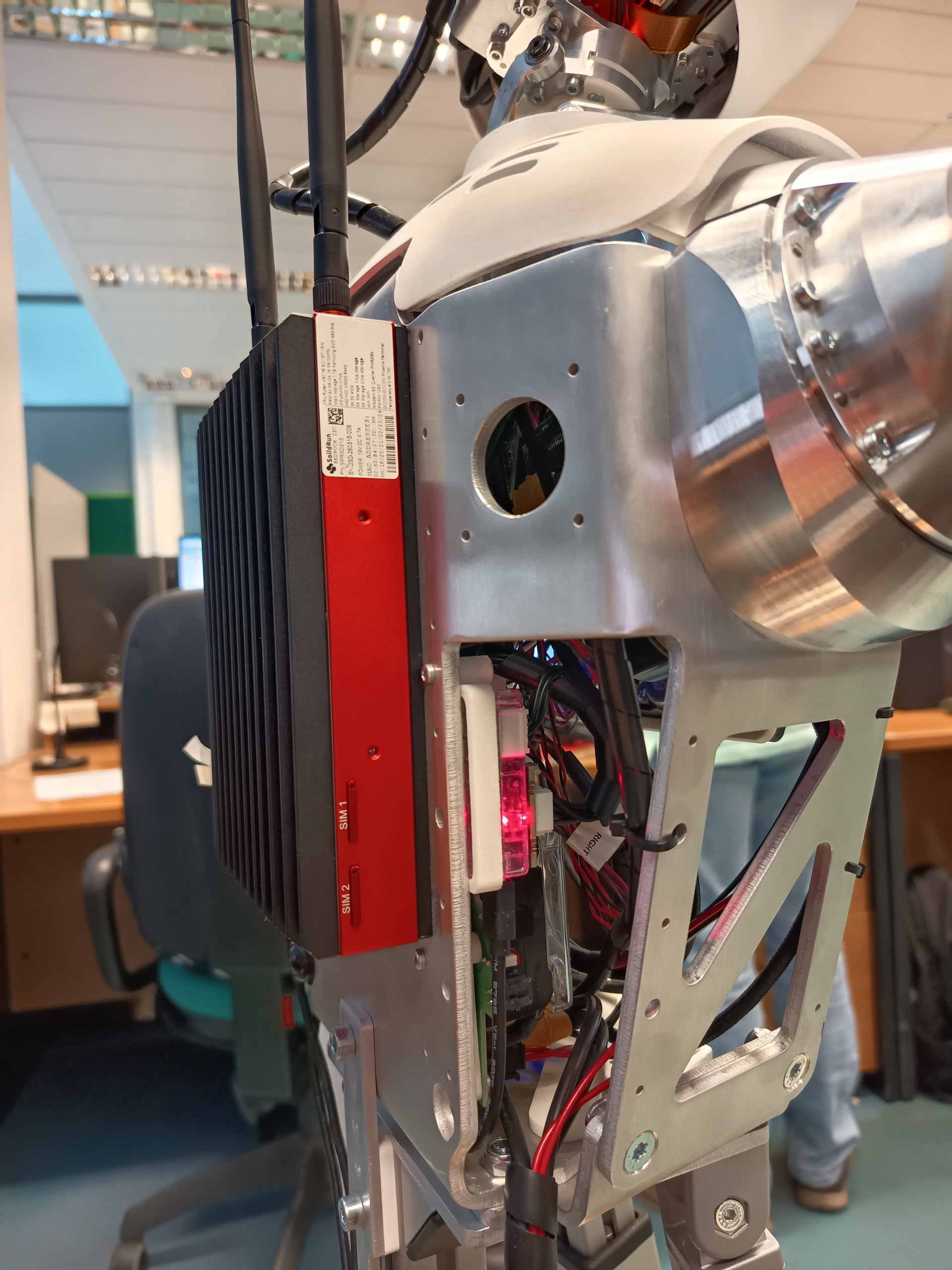
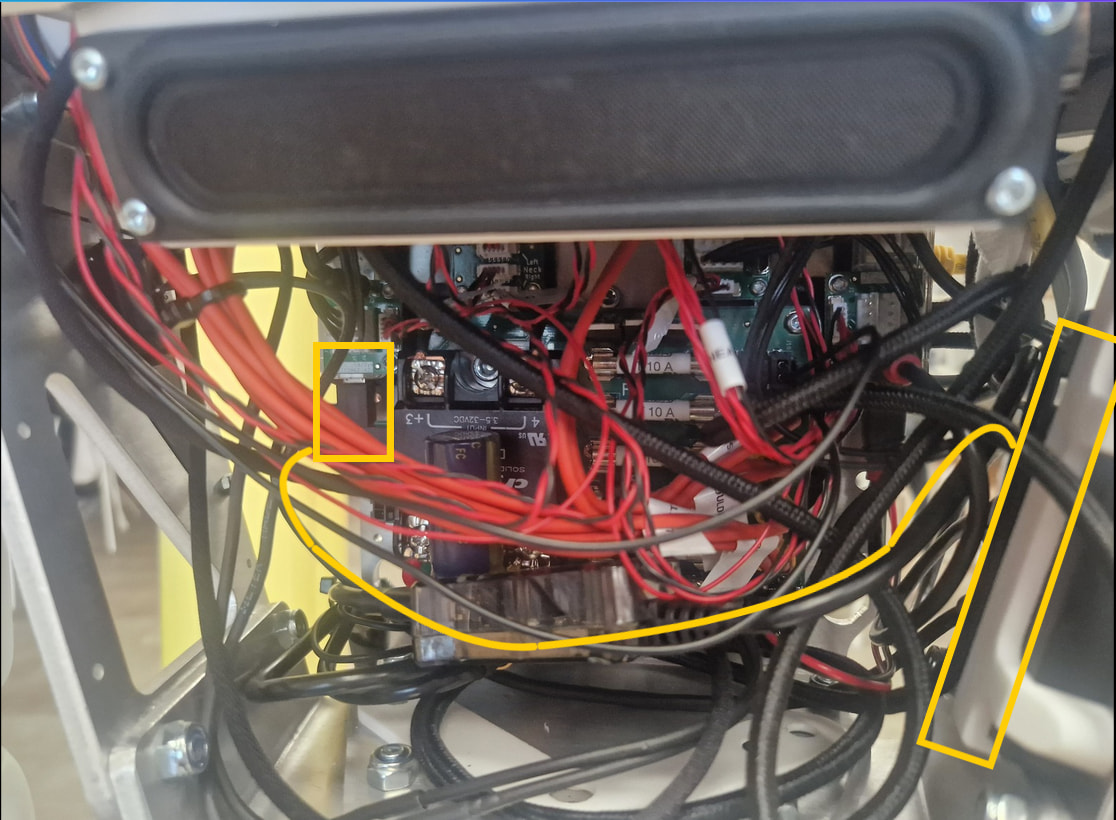
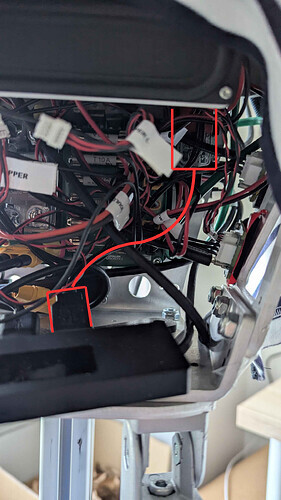
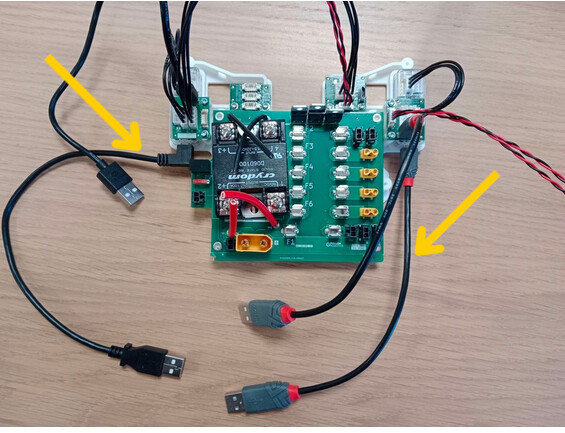
You should check the cables of the antennas and the grippers. Each one starts from a U2D2, and is connected to the torso USB hub, then the hub is connected to the third USB port of the bedrock. (see the attached photos)
After verifying that all these cables are properly connected, if it still doesn’t work, we can try reconfiguring the udev rules. To do this, you can stop the core and WebRTC services (in the dashboard, under the “Services” section, click “Stop” for the reachy2-core and WebRTC services) and then run:
ssh bedrock@reachy2-pvt03.local
cd reachy2_pc_install
./udev.sh ## copy/paste the output on the topic if you can
udevadm control --reload-rules && udevadm trigger
sudo reboot
We ran the commands with sudo permissions and, after the reboot, the LEDs turned blue immediately. We have tested the robot and everything is working beautifully: the grippers open and close perfectly, and the antennas are moving flawlessly as well.
Thank you so much for your incredible support and patience throughout this whole process! We really appreciate your help.
We just received our Reachy 2 and are facing the same issue. I faked the antennas and gripper and the core service does start, but I’m trying to run the udev rules setup step and don’t have a reachy2_pc_install folder anywhere on the system — so there’s no udev.sh script to run.
Questions:
Is reachy2_pc_install supposed to come pre-installed on the robot, or do we need to clone/download it separately?
If it needs to be downloaded separately, could someone point me to the correct repo or location?
It is totally normal that you do not have any reachy2_pc_install folder. This folder is removed from the robot after the installation is complete.
Thank you for providing the core service logs!
The error seems to be slightly different, so I have a few questions to identify what might be going wrong:
- When you start the robot, do the robot’s motors move slightly after you disengage the emergency stop button?
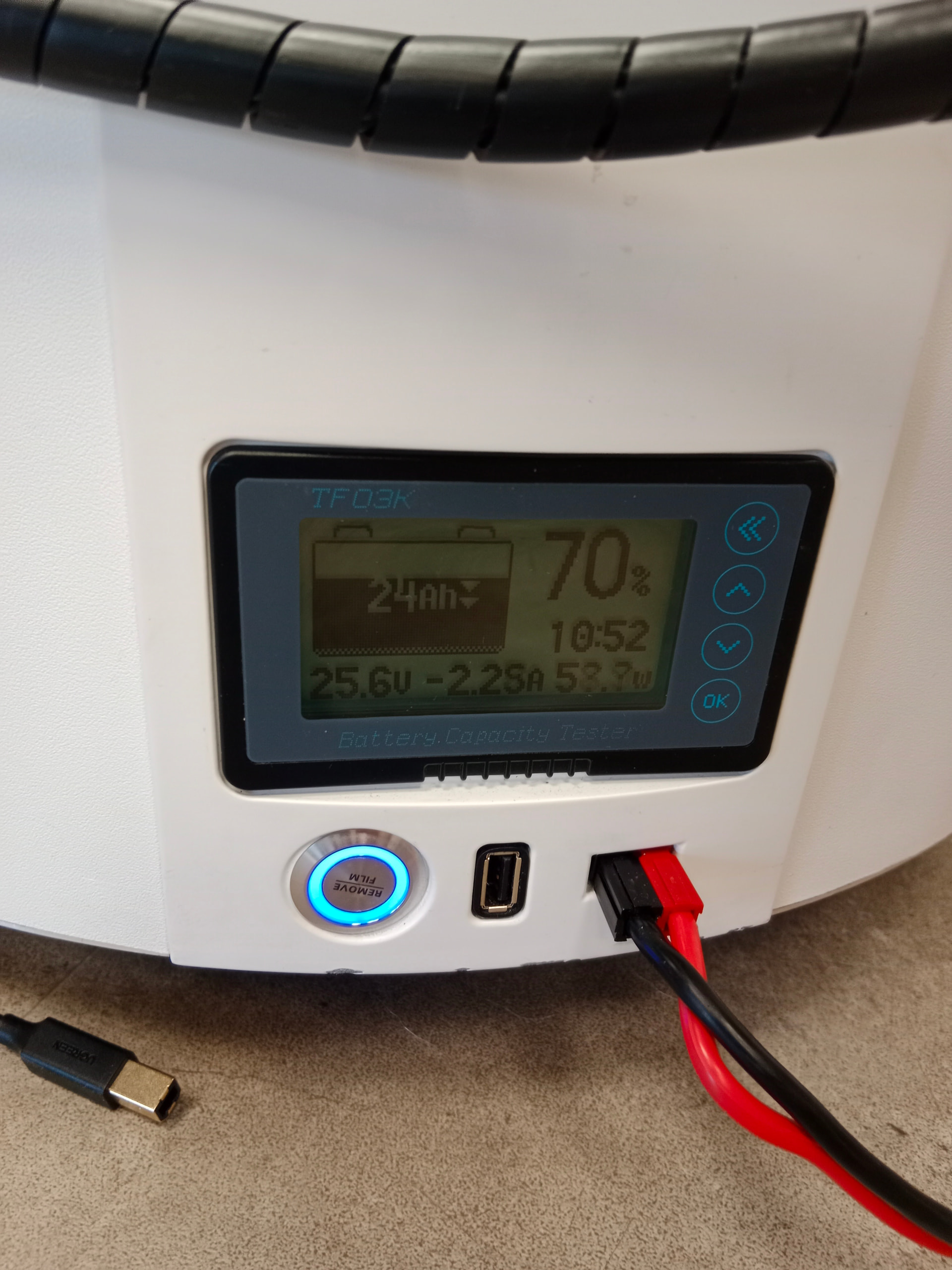
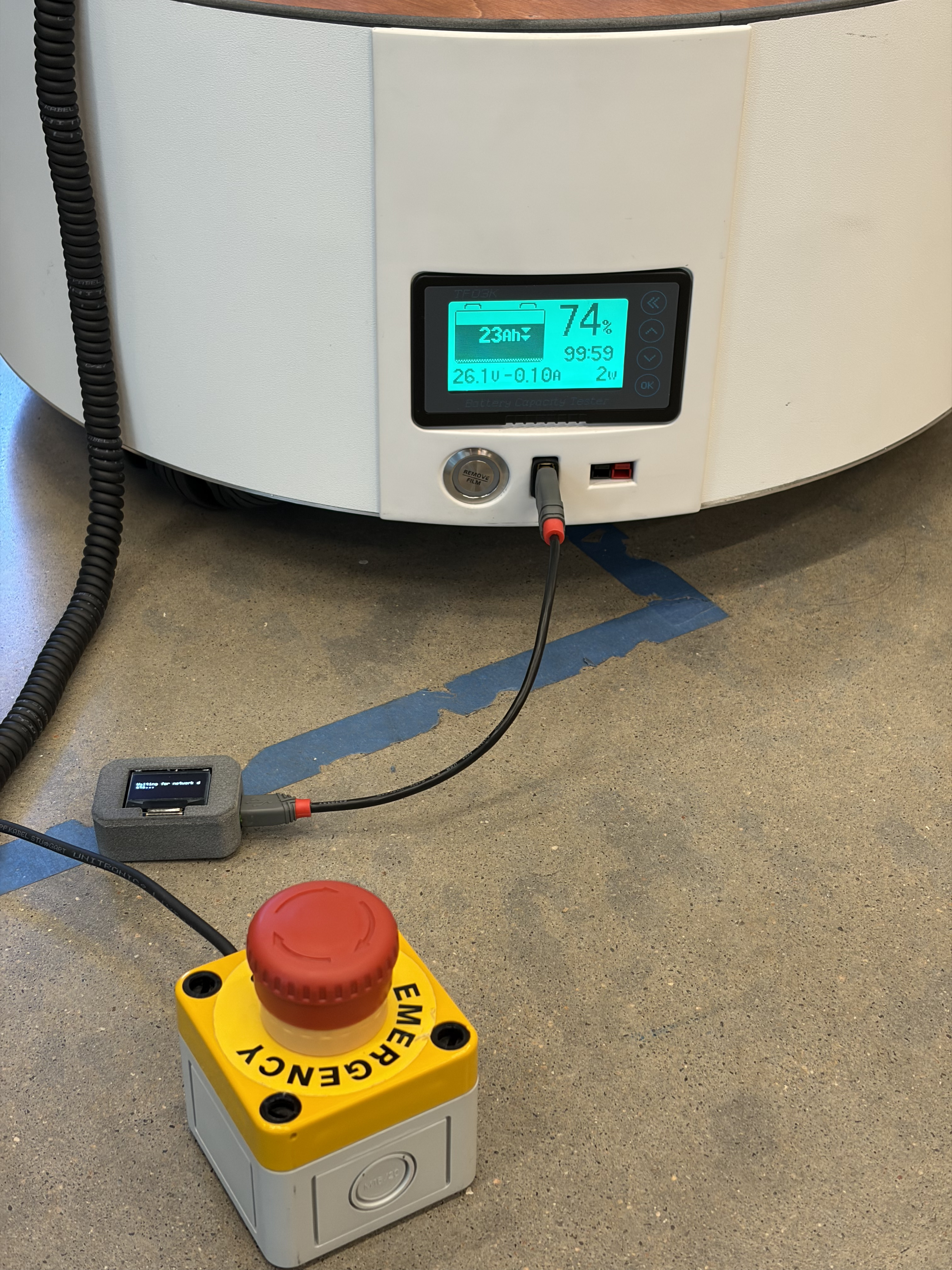
- Once the emergency stop button is disengaged, does the LED of the mobile base button turn blue? It should look like:
Thanks for the info on the install folder — that makes sense.
To answer your questions:
After disengaging the e-stop, the arms do not move.
The mobile base LED does not turn blue after disengaging the e-stop.
This behavior is intermittent — at one point the arms did move and the LED did turn blue, but after powering off overnight, we haven’t been able to reproduce that state since.
Let me know what else would help narrow this down.
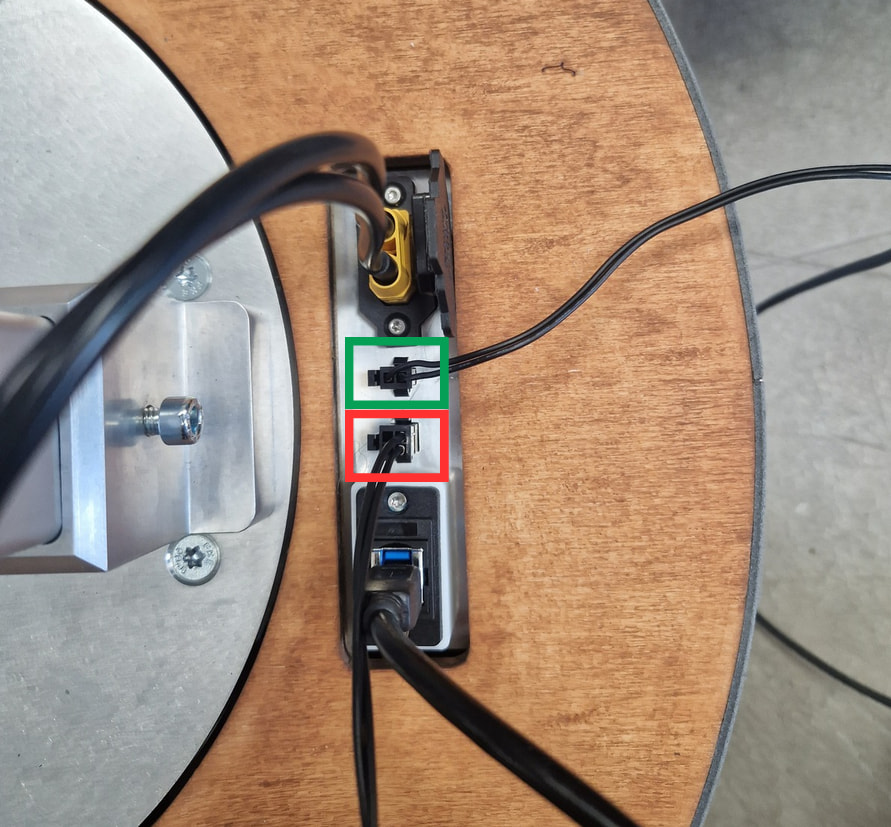
It seems to be a connection issue. It could be caused by two separate cables at the mobile base. Could you try wiggling the cables a little at the green connector (the cable from the emergency button) and then at the red connector (the cable from the torso) to see if the blue LED on the mobile base lights up and if the calibration starts ?
We were able to get the robot running for a few days but this problem has resurfaced again after turning the robot off overnight. We tried jiggling the connections a little bit as you suggested but that didn’t seem to help. I’ve attached a video of the same, looking forward to your response.Video Link
Edit - Upon further troubleshooting, we think it is this connection from the battery that is causing the problem (we are able to see the blue light intermittently when the base component lights up as well) but unsure how to proceed further to fix the root cause (if that’s the case). Please advise
Based on them, it appears there is an issue with the mobile base’s cable. We will send you a replacement cable along with a video tutorial on how to make the replacement. We sincerely apologize for this issue, which did not occur during testing in our workshop.
Could you please email me the shipping address, along with your name, email address, and phone number, to support@pollen-robotics.com ?
I’ll keep you updated on the cable shipment (we should receive it this week or next week).
We received the package, installed all new cables and E-stop but the mobile base is still not working. Please see my email and hoping to schedule time to connect. Thanks!