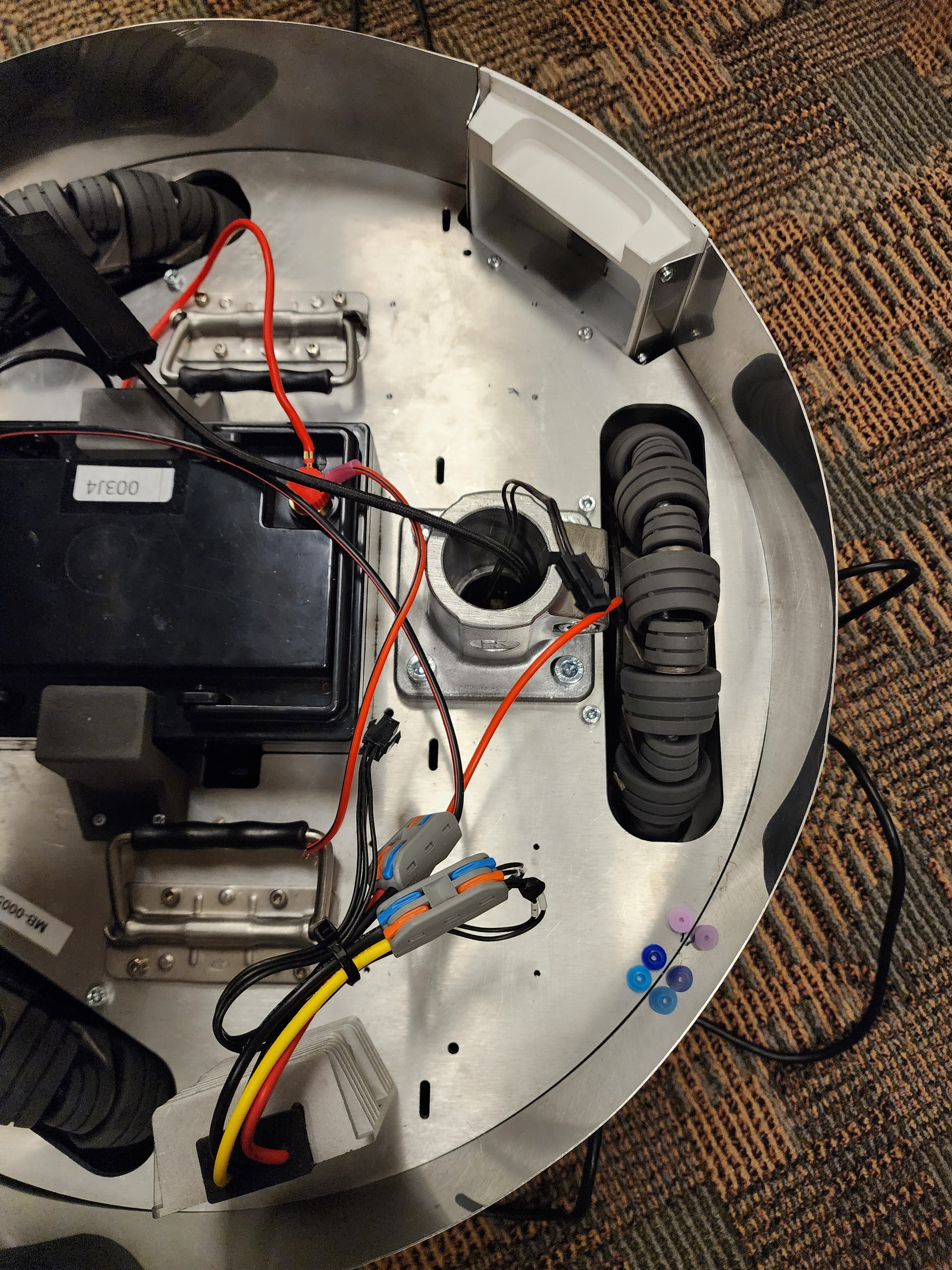
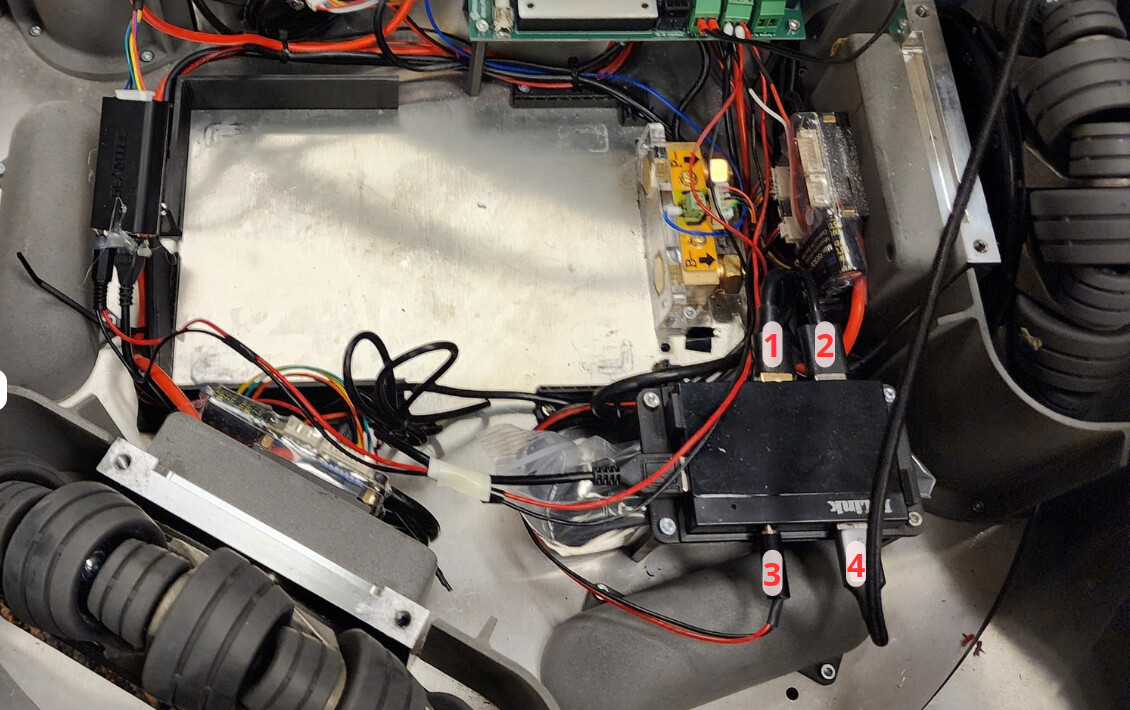
Hi Pollen Robotics team,
We’ve been having some trouble connecting to Reachy 2023’s mobile base. We’re not sure yet if it’s a software or hardware issue, but when Reachy 2023 is turned on, we can connect to the ReachySDK without the mobile base, like running the below code is fine:
reachy = ReachySDK(host=f'{ip_addr}')
However, if we try to include the mobile base, then there’s an error:
reachy = ReachySDK(host=f'{ip_addr}', with_mobile_base=True)

Traceback (most recent call last):

  File "/home/reachy/dev/reachy-sdk/reachy_sdk/reachy_sdk.py", line 78, in __init__

    self.mobile_base = MobileBaseSDK(self._host)

  File "/home/reachy/dev/mobile-base-sdk/mobile_base_sdk/mobile_base_sdk.py", line 56, in __init__

    self._drive_mode = get_drive_mode().lower()

  File "/home/reachy/dev/mobile-base-sdk/mobile_base_sdk/mobile_base_sdk.py", line 49, in get_drive_mode

    mode_id = self._stub.GetZuuuMode(Empty()).mode

  File "/home/reachy/.local/lib/python3.10/site-packages/grpc/_channel.py", line 946, in __call__

    return _end_unary_response_blocking(state, call, False, None)

  File "/home/reachy/.local/lib/python3.10/site-packages/grpc/_channel.py", line 849, in _end_unary_response_blocking

    raise _InactiveRpcError(state)

grpc._channel._InactiveRpcError: <_InactiveRpcError of RPC that terminated with:

status = StatusCode.UNAVAILABLE

details = "failed to connect to all addresses; last error: UNKNOWN: ipv4:10.192.8.157:50061: Failed to connect to remote host: Connection refused"

debug_error_string = "UNKNOWN:failed to connect to all addresses; last error: UNKNOWN: ipv4:10.192.8.157:50061: Failed to connect to remote host: Connection refused {grpc_status:14, created_time:"2025-11-05T17:57:50.202295886-06:00"}"
>
During handling of the above exception, another exception occurred:
Traceback (most recent call last):

  File "<stdin>", line 1, in <module>

  File "/home/reachy/dev/reachy-sdk/reachy_sdk/reachy_sdk.py", line 80, in __init__

    raise IOError('Failed to connect to mobile base!')

OSError: Failed to connect to mobile base!
And from the dashboard, these are the logs for the reachy_mobile_base.service:
● reachy_mobile_base.service - Mobile base SDK server service
     Loaded: loaded (/home/reachy/.config/systemd/user/reachy_mobile_base.service; enabled; vendor preset: enabled)
     Active: active (running) since Wed 2025-11-05 17:59:05 CST; 26s ago
    Process: 62178 ExecStartPre=/bin/sleep 10 (code=exited, status=0/SUCCESS)
   Main PID: 62593 (bash)
      Tasks: 12 (limit: 9054)
     Memory: 78.0M
        CPU: 3.163s
     CGroup: /user.slice/user-1000.slice/user@1000.service/app.slice/reachy_mobile_base.service
             ├─62593 /usr/bin/bash /home/reachy/reachy_ws/src/reachy_2023/mobile_base_controller/mobile_base_sdk_server/launch_mobile_base.bash
             ├─62693 /usr/bin/python3 /opt/ros/humble/bin/ros2 launch mobile_base_sdk_server run_mobile_base_sdk_server_and_hal.launch.py
             └─62731 /usr/bin/python3 /home/reachy/reachy_ws/install/mobile_base_sdk_server/lib/mobile_base_sdk_server/mobile_base_sdk_server --ros-args

nov. 05 17:58:55 reachy-2023-0001 systemd[1547]: Starting Mobile base SDK server service...
nov. 05 17:59:05 reachy-2023-0001 systemd[1547]: Started Mobile base SDK server service.
nov. 05 17:59:06 reachy-2023-0001 reachy_mobile_base[62593]: Starting mobile base launch file.
nov. 05 17:59:07 reachy-2023-0001 reachy_mobile_base[62693]: [INFO] [launch]: All log files can be found below /home/reachy/.ros/log/2025-11-05-17-59-07-476815-reachy-2023-0001-62693
nov. 05 17:59:07 reachy-2023-0001 reachy_mobile_base[62693]: [INFO] [launch]: Default logging verbosity is set to INFO
nov. 05 17:59:07 reachy-2023-0001 reachy_mobile_base[62693]: [INFO] [rplidar_scan_publisher-1]: process started with pid [62727]
nov. 05 17:59:07 reachy-2023-0001 reachy_mobile_base[62693]: [INFO] [hal-2]: process started with pid [62729]
nov. 05 17:59:07 reachy-2023-0001 reachy_mobile_base[62693]: [INFO] [mobile_base_sdk_server-3]: process started with pid [62731]
nov. 05 17:59:07 reachy-2023-0001 reachy_mobile_base[62693]: [rplidar_scan_publisher-1] [INFO] [1762387147.677299289] [rplidar_scan_publisher]: RPLIDAR running on ROS2 package rplidar_ros2.ROS2 SDK Version:1.0.1, RPLIDAR SDK Version:2.0.0
nov. 05 17:59:07 reachy-2023-0001 reachy_mobile_base[62693]: [rplidar_scan_publisher-1] [INFO] [1762387147.726423197] [rplidar_scan_publisher]: RPLIDAR S/N: E880EC95C1EA9ED0B2E29FF96B5A467D
nov. 05 17:59:07 reachy-2023-0001 reachy_mobile_base[62693]: [rplidar_scan_publisher-1] [INFO] [1762387147.727275765] [rplidar_scan_publisher]: Firmware Ver: 1.01
nov. 05 17:59:07 reachy-2023-0001 reachy_mobile_base[62693]: [rplidar_scan_publisher-1] [INFO] [1762387147.727339441] [rplidar_scan_publisher]: Hardware Rev: 18
nov. 05 17:59:07 reachy-2023-0001 reachy_mobile_base[62693]: [rplidar_scan_publisher-1] [INFO] [1762387147.778627045] [rplidar_scan_publisher]: RPLidar health status : 2
nov. 05 17:59:07 reachy-2023-0001 reachy_mobile_base[62693]: [rplidar_scan_publisher-1] [ERROR] [1762387147.778723415] [rplidar_scan_publisher]: Error, rplidar internal error detected. Please reboot the device to retry.
nov. 05 17:59:08 reachy-2023-0001 reachy_mobile_base[62693]: [ERROR] [rplidar_scan_publisher-1]: process has died [pid 62727, exit code 255, cmd '/home/reachy/reachy_ws/install/rplidar_ros2/lib/rplidar_ros2/rplidar_scan_publisher --ros-args -r __node:=rplidar_scan_publisher --params-file /tmp/launch_params_m_7_eyfh'].
nov. 05 17:59:08 reachy-2023-0001 reachy_mobile_base[62693]: [hal-2] [INFO] [1762387148.724573687] [zuuu_hal]: Starting zuuu_hal!
nov. 05 17:59:08 reachy-2023-0001 reachy_mobile_base[62693]: [hal-2] 1.2
nov. 05 17:59:08 reachy-2023-0001 reachy_mobile_base[62693]: [hal-2] [ERROR] [1762387148.848426083] []: Traceback (most recent call last):
nov. 05 17:59:08 reachy-2023-0001 reachy_mobile_base[62693]: [hal-2]   File "/home/reachy/reachy_ws/build/zuuu_hal/zuuu_hal/zuuu_hal.py", line 1156, in main
nov. 05 17:59:08 reachy-2023-0001 reachy_mobile_base[62693]: [hal-2]     node = ZuuuHAL()
nov. 05 17:59:08 reachy-2023-0001 reachy_mobile_base[62693]: [hal-2]   File "/home/reachy/reachy_ws/build/zuuu_hal/zuuu_hal/zuuu_hal.py", line 156, in __init__
nov. 05 17:59:08 reachy-2023-0001 reachy_mobile_base[62693]: [hal-2]     self.zuuu_model = check_output(
nov. 05 17:59:08 reachy-2023-0001 reachy_mobile_base[62693]: [hal-2]   File "/usr/lib/python3.10/subprocess.py", line 421, in check_output
nov. 05 17:59:08 reachy-2023-0001 reachy_mobile_base[62693]: [hal-2]     return run(*popenargs, stdout=PIPE, timeout=timeout, check=True,
nov. 05 17:59:08 reachy-2023-0001 reachy_mobile_base[62693]: [hal-2]   File "/usr/lib/python3.10/subprocess.py", line 526, in run
nov. 05 17:59:08 reachy-2023-0001 reachy_mobile_base[62693]: [hal-2]     raise CalledProcessError(retcode, process.args,
nov. 05 17:59:08 reachy-2023-0001 reachy_mobile_base[62693]: [hal-2] subprocess.CalledProcessError: Command '/home/reachy/.local/bin/reachy-identify-zuuu-model' returned non-zero exit status 1.
nov. 05 17:59:08 reachy-2023-0001 reachy_mobile_base[62693]: [hal-2]
nov. 05 17:59:08 reachy-2023-0001 reachy_mobile_base[62693]: [hal-2] [ERROR] [1762387148.848856880] []: Failed to init ZuuuHAL
nov. 05 17:59:09 reachy-2023-0001 reachy_mobile_base[62693]: [ERROR] [hal-2]: process has died [pid 62729, exit code 1, cmd '/home/reachy/reachy_ws/install/zuuu_hal/lib/zuuu_hal/hal --ros-args -r __node:=zuuu_hal --params-file /home/reachy/reachy_ws/install/zuuu_hal/share/zuuu_hal/config/params.yaml'].
nov. 05 17:59:09 reachy-2023-0001 reachy_mobile_base[62693]: [mobile_base_sdk_server-3] [INFO] [1762387149.360928203] [mobile_base_server]: service SetSpeed not available, waiting again...
nov. 05 17:59:10 reachy-2023-0001 reachy_mobile_base[62693]: [mobile_base_sdk_server-3] [INFO] [1762387150.363085397] [mobile_base_server]: service SetSpeed not available, waiting again...
nov. 05 17:59:11 reachy-2023-0001 reachy_mobile_base[62693]: [mobile_base_sdk_server-3] [INFO] [1762387151.365475017] [mobile_base_server]: service SetSpeed not available, waiting again...
nov. 05 17:59:12 reachy-2023-0001 reachy_mobile_base[62693]: [mobile_base_sdk_server-3] [INFO] [1762387152.367669040] [mobile_base_server]: service SetSpeed not available, waiting again...
nov. 05 17:59:13 reachy-2023-0001 reachy_mobile_base[62693]: [mobile_base_sdk_server-3] [INFO] [1762387153.370170787] [mobile_base_server]: service SetSpeed not available, waiting again...
nov. 05 17:59:14 reachy-2023-0001 reachy_mobile_base[62693]: [mobile_base_sdk_server-3] [INFO] [1762387154.371897563] [mobile_base_server]: service SetSpeed not available, waiting again...
nov. 05 17:59:15 reachy-2023-0001 reachy_mobile_base[62693]: [mobile_base_sdk_server-3] [INFO] [1762387155.374903134] [mobile_base_server]: service SetSpeed not available, waiting again...
nov. 05 17:59:16 reachy-2023-0001 reachy_mobile_base[62693]: [mobile_base_sdk_server-3] [INFO] [1762387156.377512576] [mobile_base_server]: service SetSpeed not available, waiting again...
nov. 05 17:59:17 reachy-2023-0001 reachy_mobile_base[62693]: [mobile_base_sdk_server-3] [INFO] [1762387157.379536665] [mobile_base_server]: service SetSpeed not available, waiting again...
nov. 05 17:59:18 reachy-2023-0001 reachy_mobile_base[62693]: [mobile_base_sdk_server-3] [INFO] [1762387158.381497996] [mobile_base_server]: service SetSpeed not available, waiting again...
nov. 05 17:59:19 reachy-2023-0001 reachy_mobile_base[62693]: [mobile_base_sdk_server-3] [INFO] [1762387159.383328116] [mobile_base_server]: service SetSpeed not available, waiting again...
nov. 05 17:59:20 reachy-2023-0001 reachy_mobile_base[62693]: [mobile_base_sdk_server-3] [INFO] [1762387160.385333700] [mobile_base_server]: service SetSpeed not available, waiting again...
nov. 05 17:59:21 reachy-2023-0001 reachy_mobile_base[62693]: [mobile_base_sdk_server-3] [INFO] [1762387161.388038150] [mobile_base_server]: service SetSpeed not available, waiting again...
nov. 05 17:59:22 reachy-2023-0001 reachy_mobile_base[62693]: [mobile_base_sdk_server-3] [INFO] [1762387162.390259252] [mobile_base_server]: service SetSpeed not available, waiting again...
nov. 05 17:59:23 reachy-2023-0001 reachy_mobile_base[62693]: [mobile_base_sdk_server-3] [INFO] [1762387163.393629299] [mobile_base_server]: service SetSpeed not available, waiting again...
nov. 05 17:59:24 reachy-2023-0001 reachy_mobile_base[62693]: [mobile_base_sdk_server-3] [INFO] [1762387164.396043047] [mobile_base_server]: service SetSpeed not available, waiting again...
nov. 05 17:59:25 reachy-2023-0001 reachy_mobile_base[62693]: [mobile_base_sdk_server-3] [INFO] [1762387165.398473048] [mobile_base_server]: service SetSpeed not available, waiting again...
nov. 05 17:59:26 reachy-2023-0001 reachy_mobile_base[62693]: [mobile_base_sdk_server-3] [INFO] [1762387166.400661552] [mobile_base_server]: service SetSpeed not available, waiting again...
nov. 05 17:59:27 reachy-2023-0001 reachy_mobile_base[62693]: [mobile_base_sdk_server-3] [INFO] [1762387167.402924132] [mobile_base_server]: service SetSpeed not available, waiting again...
nov. 05 17:59:28 reachy-2023-0001 reachy_mobile_base[62693]: [mobile_base_sdk_server-3] [INFO] [1762387168.405537343] [mobile_base_server]: service SetSpeed not available, waiting again...
nov. 05 17:59:29 reachy-2023-0001 reachy_mobile_base[62693]: [mobile_base_sdk_server-3] [INFO] [1762387169.407966718] [mobile_base_server]: service SetSpeed not available, waiting again...
nov. 05 17:59:30 reachy-2023-0001 reachy_mobile_base[62693]: [mobile_base_sdk_server-3] [INFO] [1762387170.412218921] [mobile_base_server]: service SetSpeed not available, waiting again...
nov. 05 17:59:31 reachy-2023-0001 reachy_mobile_base[62693]: [mobile_base_sdk_server-3] [INFO] [1762387171.414294335] [mobile_base_server]: service SetSpeed not available, waiting again...
nov. 05 17:59:32 reachy-2023-0001 reachy_mobile_base[62693]: [mobile_base_sdk_server-3] [INFO] [1762387172.416190552] [mobile_base_server]: service SetSpeed not available, waiting again...
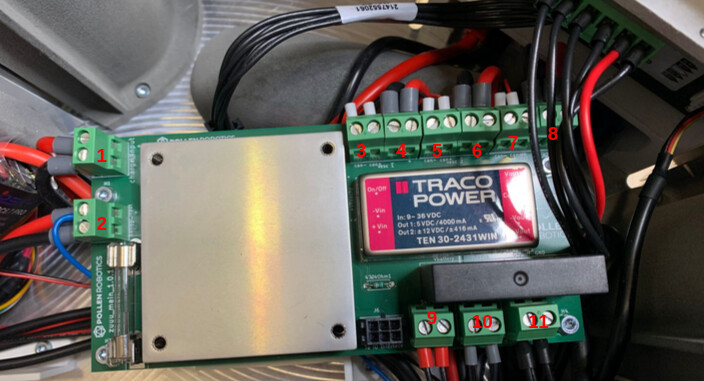
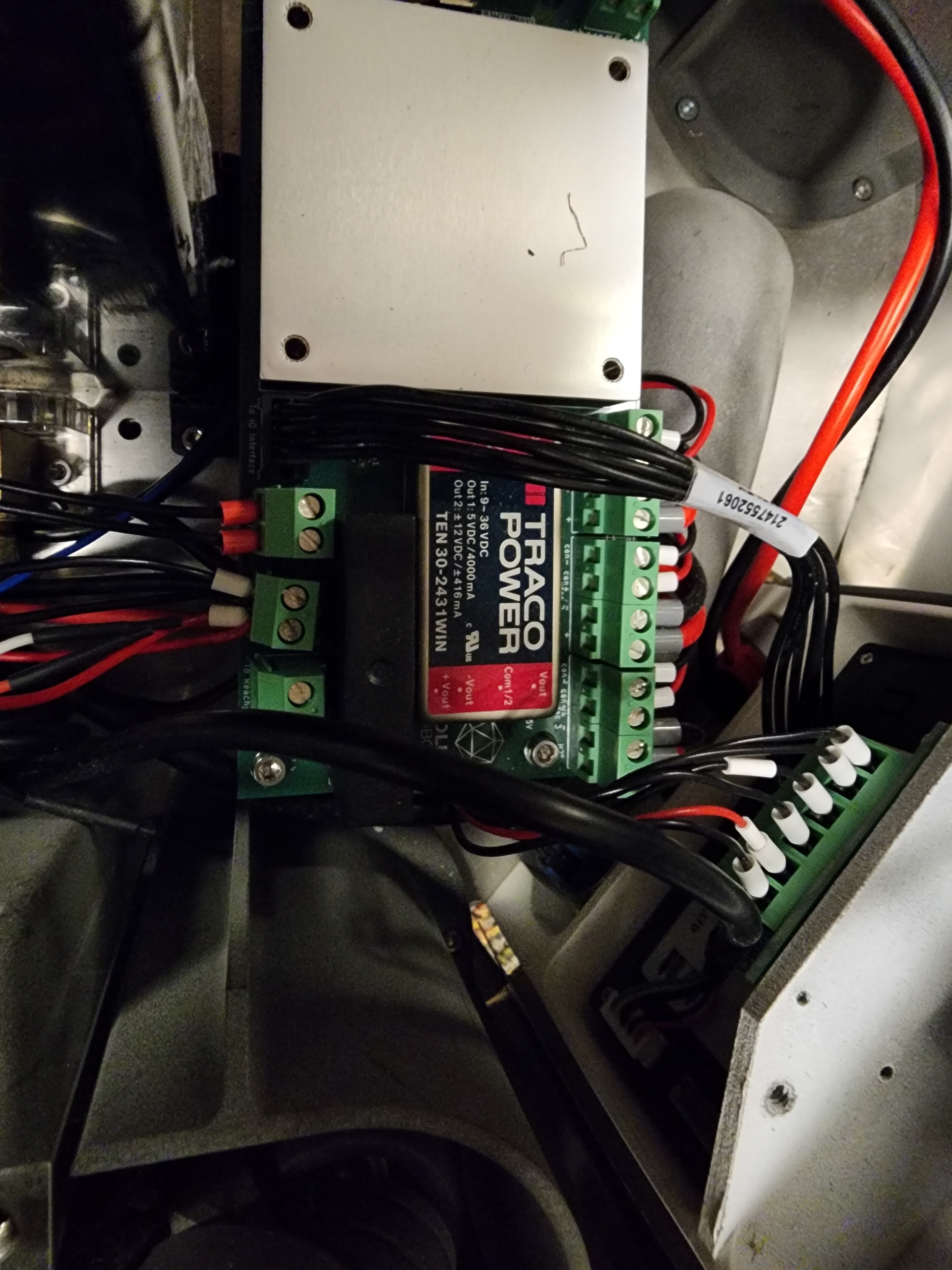
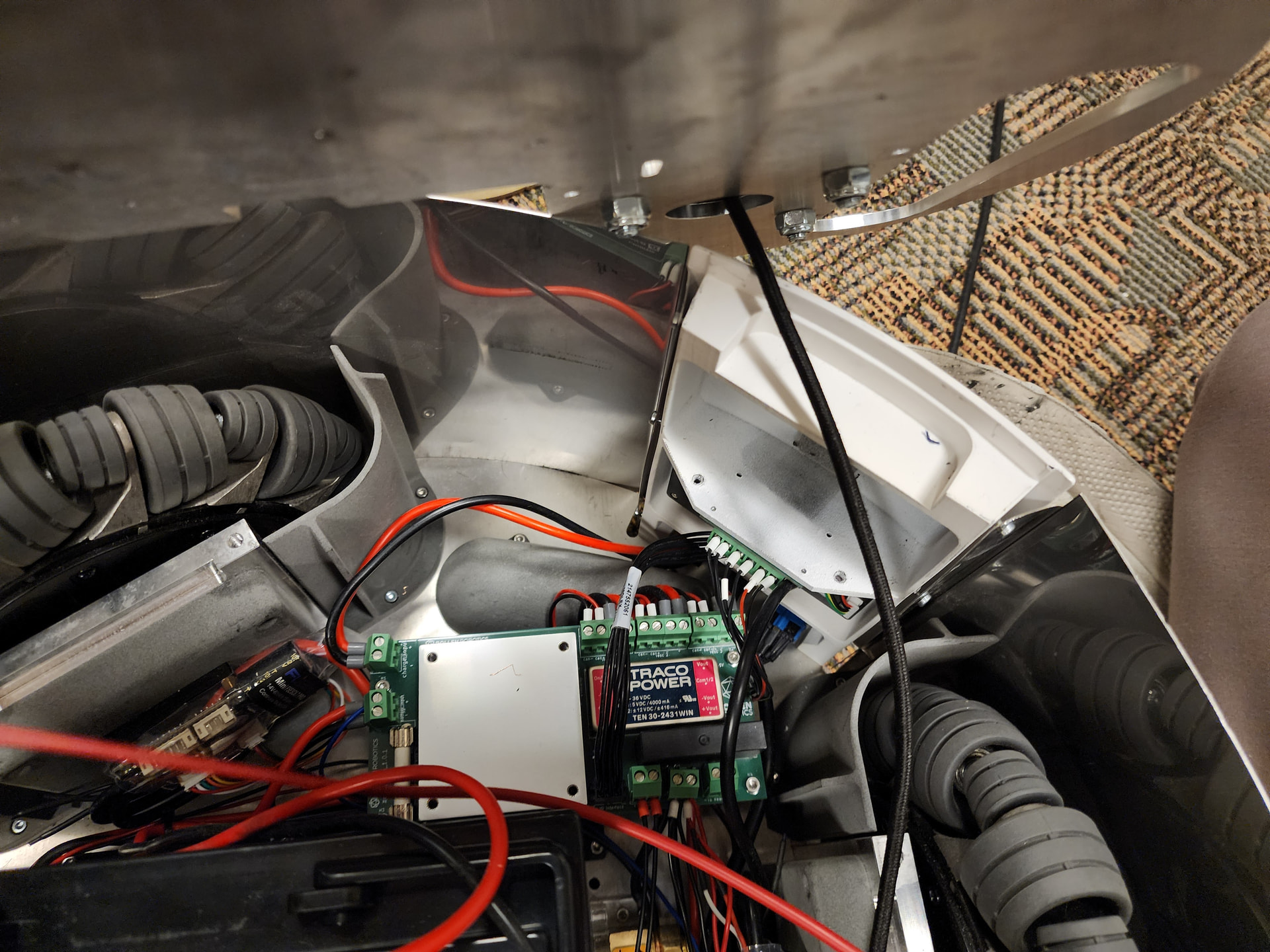
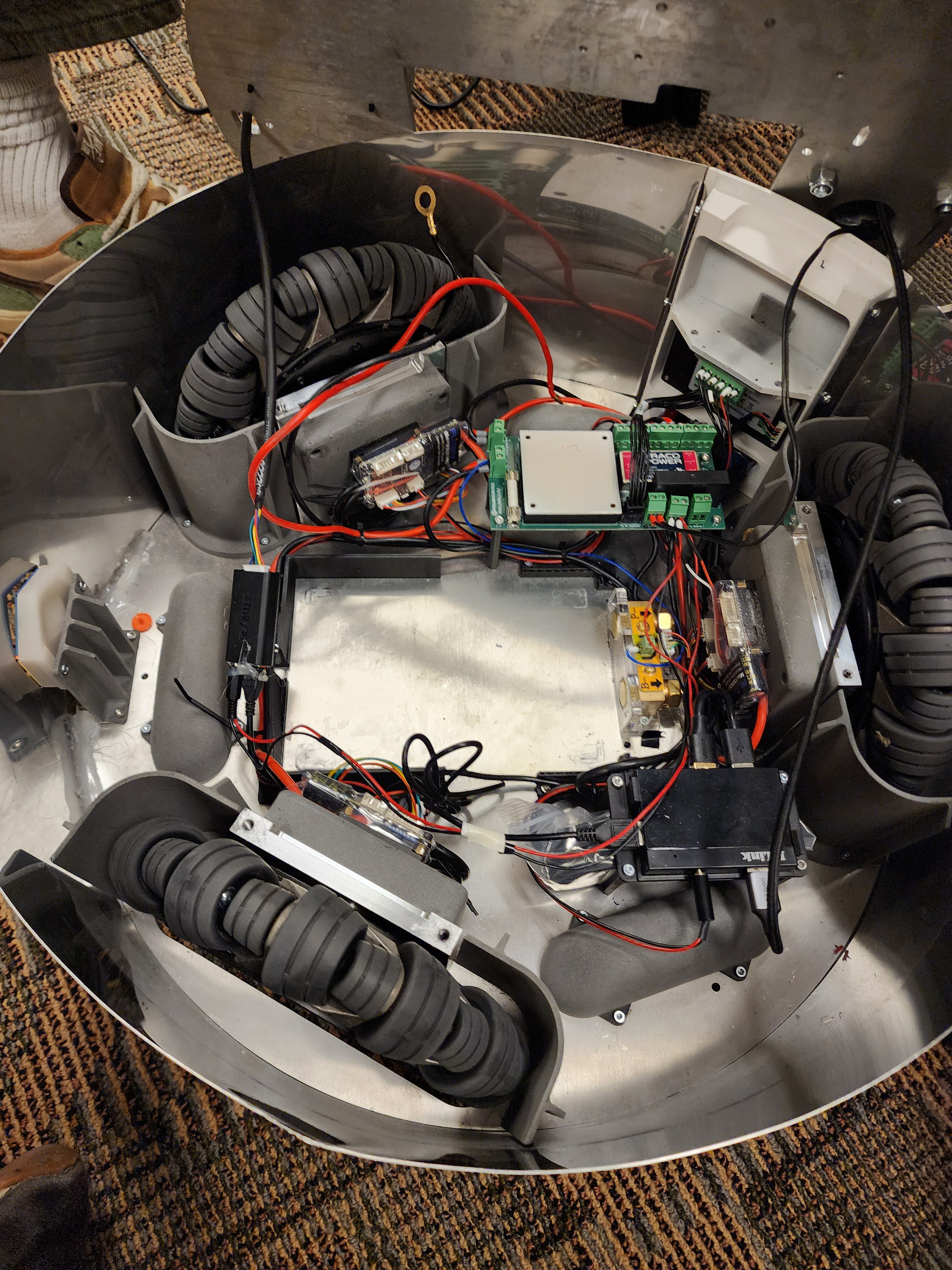
We had also tried looking into the mobile base and tested parts with a multimeter and it seems that at least one issue we found is that we are not getting any output voltage out of the silver box (converter?) for Reachy.
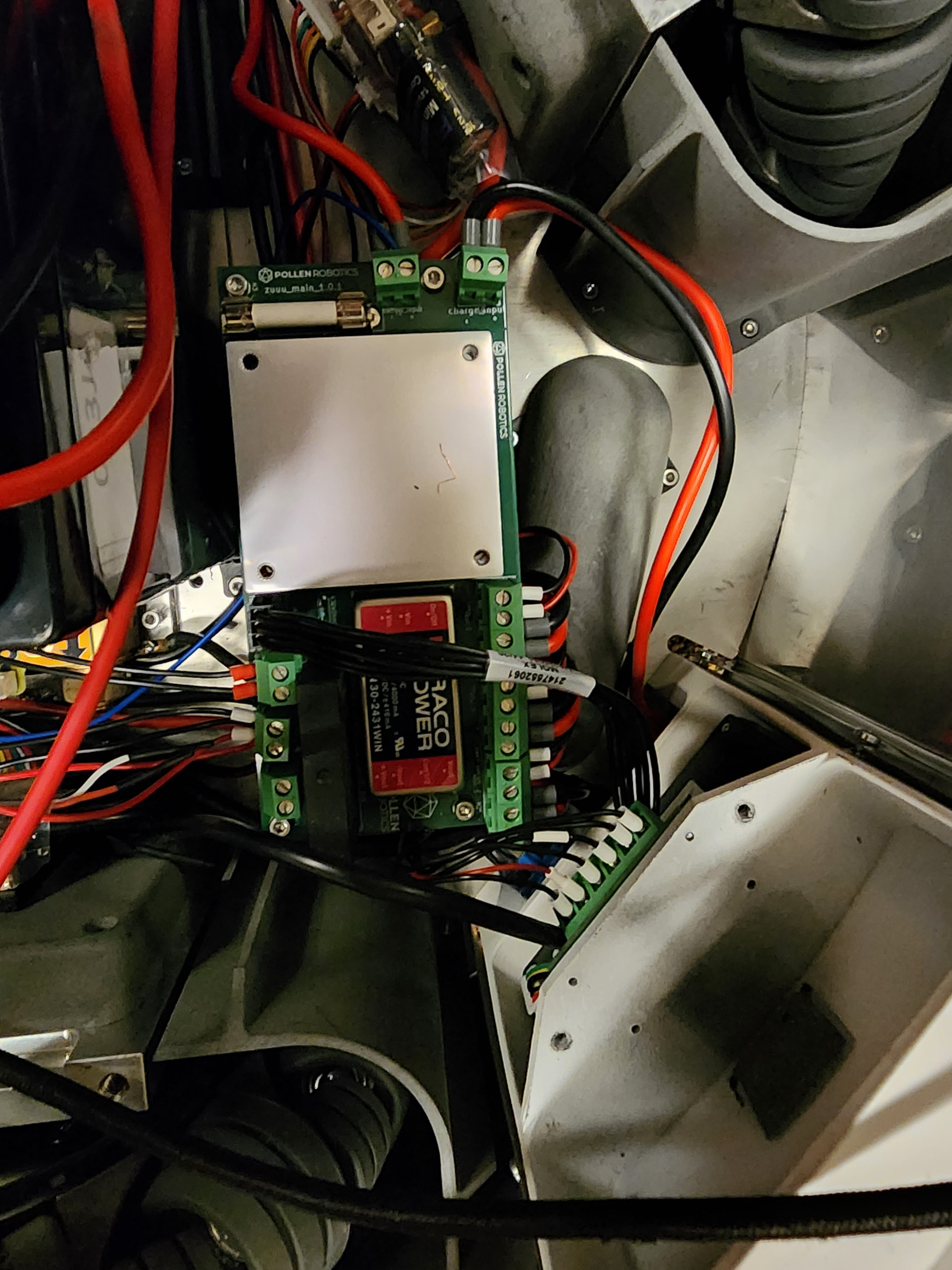
The serial number on our Reachy 2023 base is MB-0005.
We would really appreciate any suggestions or support, thank you very much!