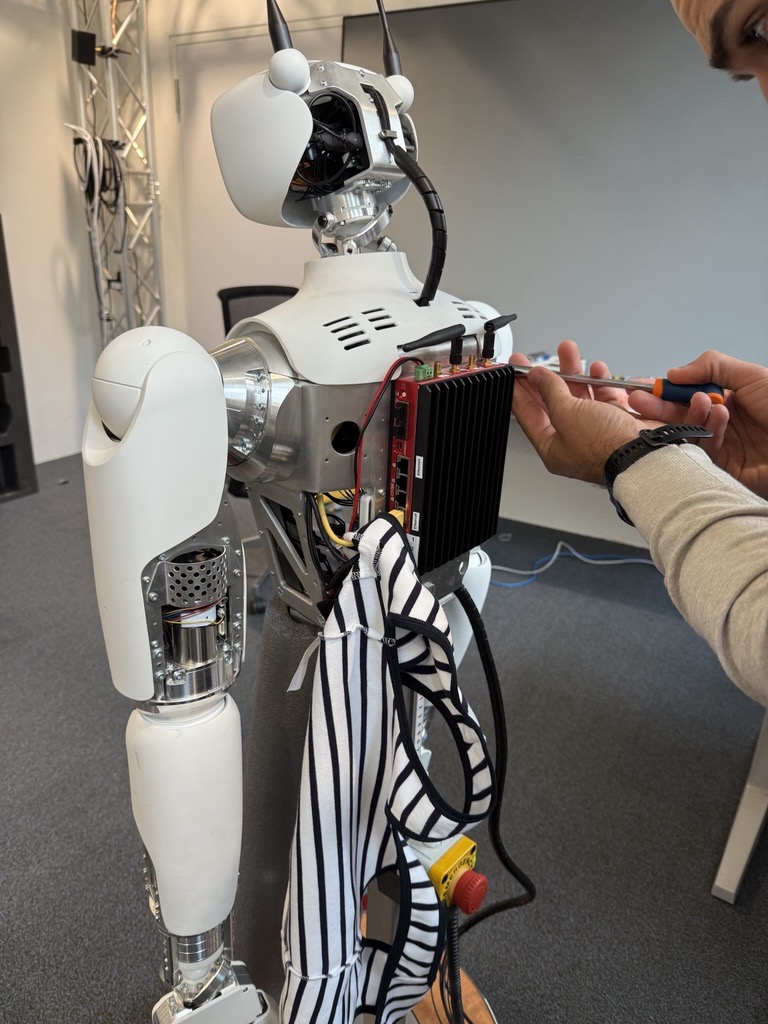
I have noticed that after restarting the system and, for example play the awake movement, the robot stops reacting, although all services are shown as active and running. An error about NeckOrbita is in fault state can be read. Then the awake movement or any other movement is not possible.
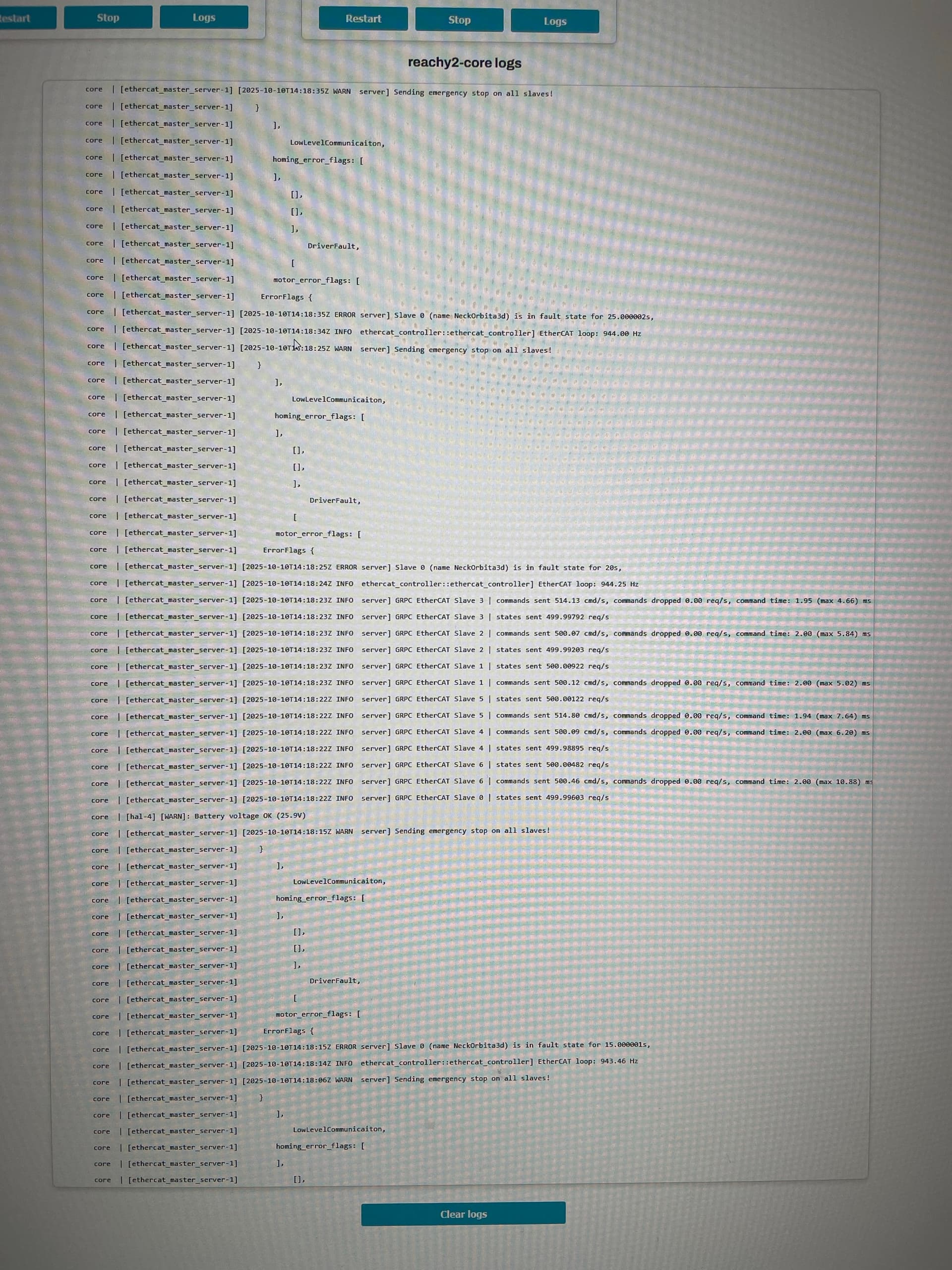
Here are the core logs that are repeating forever after the robot halts:
core | [ethercat_master_server-1] [2025-09-25T11:39:25Z INFO server] GRPC EtherCAT Slave 0 | states sent 499.9954 req/s
core | [hal-4] [WARN]: Battery voltage OK (25.7V)
core | [ethercat_master_server-1] [2025-09-25T11:39:20Z WARN server] Sending emergency stop on all slaves!
core | [ethercat_master_server-1] }
core | [ethercat_master_server-1] homing_error_flags: ,
core | [ethercat_master_server-1] ],
core | [ethercat_master_server-1] ,
core | [ethercat_master_server-1] ,
core | [ethercat_master_server-1] ],
core | [ethercat_master_server-1] DriverFault,
core | [ethercat_master_server-1] [
core | [ethercat_master_server-1] motor_error_flags: [
core | [ethercat_master_server-1] ErrorFlags {
core | [ethercat_master_server-1] [2025-09-25T11:39:20Z ERROR server] Slave 0 (name NeckOrbita3d) is in fault state for 135s,
core | [ethercat_master_server-1] [2025-09-25T11:39:17Z INFO ethercat_controller::ethercat_controller] EtherCAT loop: 927.21 Hz
core | [ethercat_master_server-1] [2025-09-25T11:39:14Z WARN server] Sending emergency stop on all slaves!
core | [ethercat_master_server-1] }
core | [ethercat_master_server-1] homing_error_flags: ,
core | [ethercat_master_server-1] ],
core | [ethercat_master_server-1] ,
core | [ethercat_master_server-1] ,
core | [ethercat_master_server-1] ],
core | [ethercat_master_server-1] DriverFault,
core | [ethercat_master_server-1] [
core | [ethercat_master_server-1] motor_error_flags: [
core | [ethercat_master_server-1] ErrorFlags {
core | [ethercat_master_server-1] [2025-09-25T11:39:14Z ERROR server] Slave 0 (name NeckOrbita3d) is in fault state for 130s,
core | [ethercat_master_server-1] [2025-09-25T11:39:08Z WARN server] Sending emergency stop on all slaves!
The error you reported for NeckOrbita3d seems to be about homing (cf homing_error_flags). Homing is the low level procedure performed by each orbita 3d on the robot when the motors are powered up (before the core service is even started).
When you release the emergency button, you should see a init sequence where each orbita 3d moves a bit from side to side: it is used to set the initial position of the actuator so that you don’t have to precisely place the actuator on its zero position.
Sometimes when the orbita 3d is powered too far from the zero position, the homing fails and the error you pointed appears. Could you make sure that the head looks forward before you release the emergency button and then restart the core service (using either the dashboard or by rebooting the bedrock aka Reachy’s computer) ?
We just tested on one of our robot in our office and we reproduced this error by powering up the motors with the head looking down at boot.
the error is not present when the head is in the default forward position.
For your backlog: Why not have a shutdown procedure to move every part of the robot to the desired position and be ready for the next error-free power up? Just a thought.
Dear @Simon the error persits. Even when doing nothing with Reachy2, after a while (sometimes 3 Minutes, sometimes 25 Minutes) the arms and head fail and I can only use the mobile base.
At first I thought this happens when the Robot is out of Wifi Range, but then tested extensively and found out that this happens regardless.
Can you help? I have not been able to use the robot for more then half hour without this error coming up.
Ok thanks!
Sorry about that, we are investigating the problem, but it looks like some kind of physical connection problem in the electronics. For example I can reproduce the same error if I unplug a motor from the electronics after the init. Maybe the transport did shake the robot a little bit too much?
We are thinking of a solution, but if needed, would you be comfortable to disassemble some plastic covers to access the electronics?
When I power up Reachy in the morning, then I can operate for much longer without this error. About 20 minutes or so. When the error comes up for the first time and I reboot the system as suggested (with the head looking forward), I have only about 5-8 Minutes before the error comes up again. From there on, the error comes very frequent and I can never operate Reachy for so long as the first time in the morning. Could it be that when the motors have warmed up, the error comes more frequently?
Can you try to reproduce this ?
Thank you. I am waiting for instructions on how to check if the electronics are ok.
 Debugging of the old one can be done in the lab later.