Hi Reachy team,
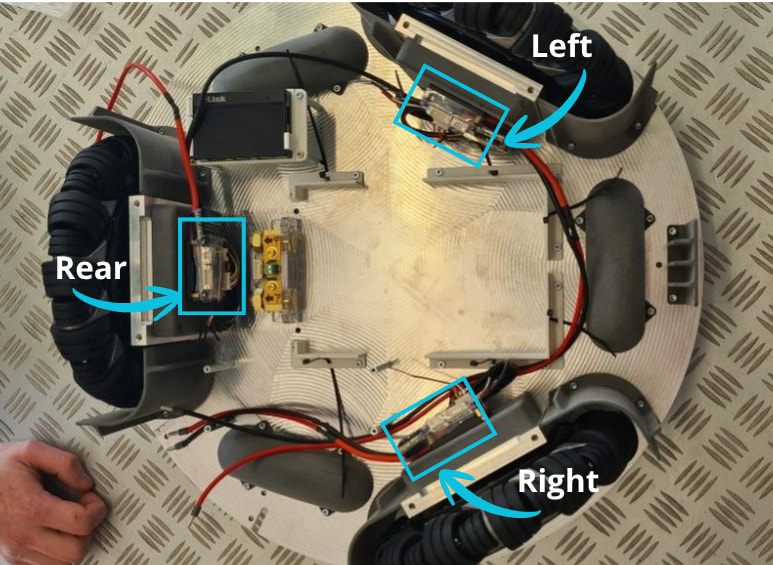
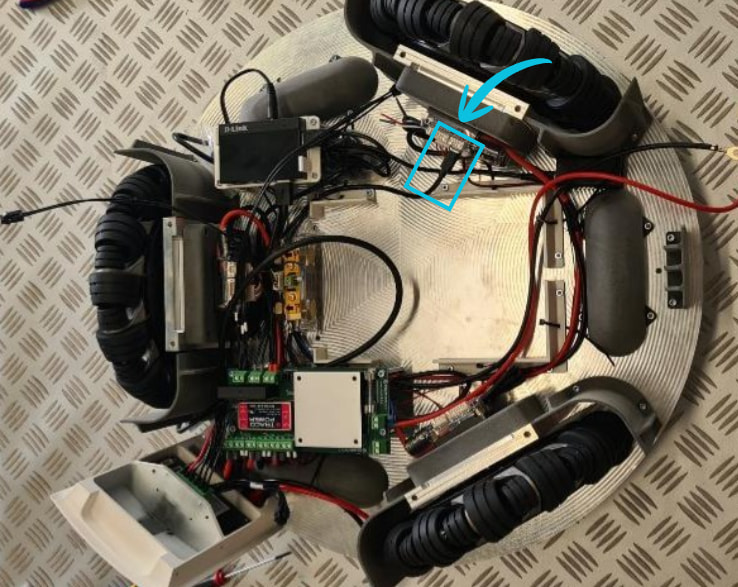
We are experiencing a problem with the mobile base on our Reachy 2. We suspect the D-link powered USB hub has failed based on the diagnostics performed as below. We are looking to replace it with a CoolGear CG-MIC4P31H (https://www.coolgear.com/product/4port-usb-3-1-micro-hub-with-surge-protection-and-mounting-kit). I wanted to get your thoughts on the suitability of this part and anything else we could try. Also, connecting to one of the VESCs via microUSB, we only see two CAN devices (device IDs 72 and 116) – can you confirm if this is expected?
Initially, we saw that the SDK server fails to start with log message zuuu_hal referenced before assignment. vesc_wheels was not showing up on /dev and unplugging/replugging the blue/black USB cable from mobile base did not show any changes in dmesg or lsusb. So, we temporarily disabled mobile base by setting enable_mobile_base: false in reachy.config. This brings back the SDK server, but of course leaves the mobile base out of order.
Afterwards, we performed some diagnostics as follows:
- Check the USB port on the bedrock (port labelled 4, a 2.0 port) using an external keyboard. Connection shows up as expected on
dmesgandlsusb. - Try connecting to the mobile base USB port from a separate computer. Shows up a
Genesys USB hubonlsusb, but does not show any devices under it (no VESC, no RPLidar etc.). - Try connecting to one of the VESCs with a separate microUSB cable. This shows up on VESC-tools, when the battery is connected and the mobile base button + E-stop button are turned on.
After 1-3, it seems to us that the D-link USB hub is the culprit. Does that sound reasonable? Is there any other diagnostic we can perform?
Moreover, during 3, we saw that only two CAN devices, IDs=72 and 116, show up on VESC-tools. Can you please confirm if this is expected? We had to plug into one of the two VESCs that are not connected to the hub, because the connectors are currently hot-glued. I believe we connected to the rear one, and ID=72 was claimed to be the “local” one. This would be good to check in case one of the VESCs is broken and is causing the USB hub to malfunction. We still see all the LEDs light up when the mobile base button and the E-stop button are turned on.
Thanks as always for your support!
Brian.